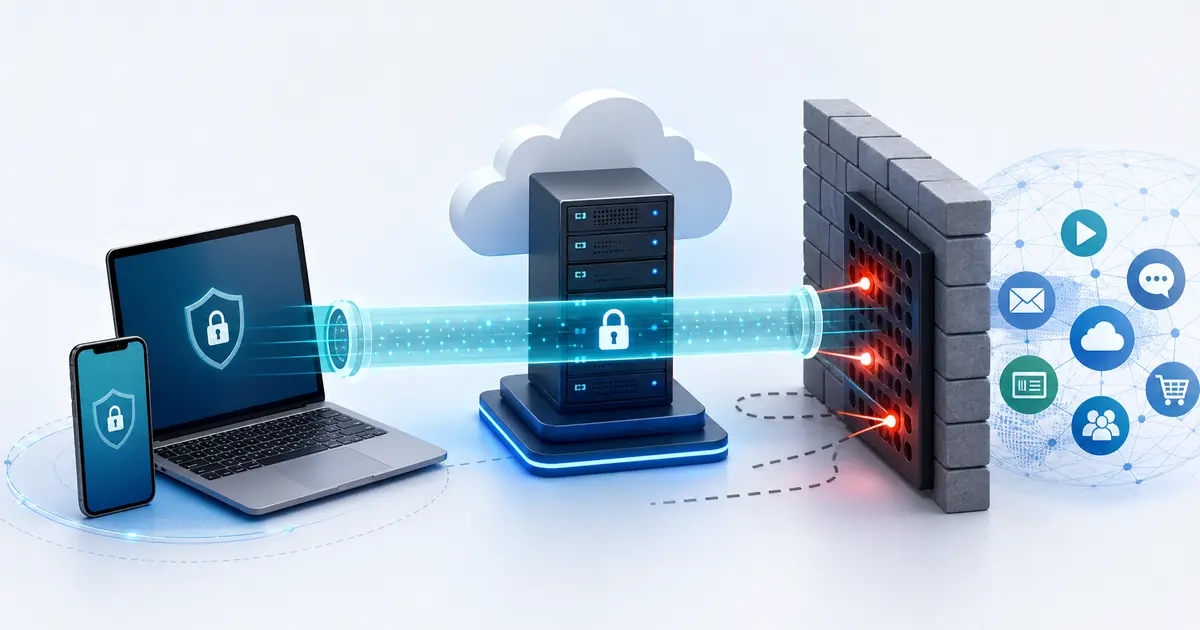
Self-hosted VPN guide
Amnezia VPN Self-Hosted Guide 2026
Amnezia VPN is an open-source VPN app that can create and manage a VPN on your own VPS. The short version: if you want a private server IP, modern anti-DPI protocols, and more control than a commercial VPN gives you, Amnezia self-hosted is one of the most practical routes in 2026.
Quick answer
- Best use case: bypassing VPN blocking with a private VPS IP and AmneziaWG 3.1 or XRay Reality.
- Minimum server: KVM VPS, public IPv4, x86-64 CPU, 1 GB RAM, 10 GB SSD, Ubuntu 22.04/24.04 or Debian 12/13.
- Main trade-off: you avoid a consumer VPN provider, but you still trust your VPS host and must maintain the server.
- What this guide covers: server requirements, setup steps, protocol choice, privacy limits, and fallback options.
What is Amnezia VPN and how does it work?
Amnezia VPN self-hosted is a free, open-source way to run a personal VPN on your own server. You rent a VPS, enter its SSH details in the Amnezia app, and the app installs the server-side components for you. The official documentation describes Amnezia as a multi-protocol client that can set up your own VPN server, then install Docker and run Amnezia server containers over SSH.
This is different from subscribing to a normal VPN provider. With a commercial VPN, you use shared servers operated by the provider. With Amnezia self-hosted, the exit IP is your VPS. That can be useful in censored networks because your IP is not automatically part of a well-known consumer VPN pool.
Self-hosting is not magic anonymity. Your home ISP still sees that you connect to your VPS. Your VPS provider still controls the physical or virtual infrastructure. Websites still see the VPS IP address. What changes is the trust model and the blocking profile.
Amnezia Premium vs a VPS: when managed access costs less
If you want Amnezia’s connection tools without running a server, Premium is a valid alternative. Its current plans cost $30 for six months, $50 for a year or $80 for two years. The two-year plan works out to $3.33/month, paid upfront.
Premium: locations without server upkeep
One subscription includes managed locations, AmneziaWG and VLESS, support and seven simultaneous device slots. You can switch between available locations without renting another VPS.
Self-hosted: control of your own server
You choose the host, server location and configuration. You also manage updates, costs and recovery. Each additional server or location may add another hosting bill.
For a simple comparison, a VPS costing $5/month totals $120 over 24 months. Premium’s $80 two-year plan is $40 less over that period, before applicable fees. This is an illustrative hosting budget, not a quote from a particular host. A cheaper VPS, a server you already rent or costs shared among users can change the result.
Premium is more flexible for switching locations and avoiding maintenance; self-hosting is more flexible for server configuration and control. A VPS paid monthly also requires less commitment than Premium’s longer prepaid plans.
Read our Amnezia Premium review for the plan comparison, Windows, Android and Linux experience, streaming and torrenting checks, and the protection limitations to weigh before buying.
What is current in 2026
Amnezia now presents three consumer paths: Self-hosted for your own VPS, Amnezia Free for selective access to specific blocked resources, and Amnezia Premium as a managed classic VPN. This guide focuses on the self-hosted path, but the distinction matters because many searches for "Amnezia VPN" mix all three.
Self-hosted
Free app, your VPS, one location per server, best control, more maintenance.
Amnezia Free
Free selective routing for specific blocked apps/sites, not a full-device VPN for all traffic.
The current self-hosted release is AmneziaWG 3.1, supported by AmneziaVPN 5.0.1.5 and later. It extends obfuscation across packet headers, sizes and timing instead of changing only a few recognizable signatures. Moving from 2.0 requires a new 3.1 container plus new users, keys and configurations. Our AmneziaWG 3.0 and 3.1 analysis explains the public code, Russia censorship context and remaining evidence gaps.
Amnezia VPN features and capabilities
Amnezia's self-hosted mode is best understood as a server installer, VPN client, and protocol manager in one app. The features that matter most are practical: can it create a working server, can it survive filtering, and can you manage access without rebuilding the server by hand?
- Self-hosted VPN deployment: enter your VPS SSH details and let Amnezia install the server components.
- Multiple VPN protocols: use simple options such as WireGuard in low-risk networks, or masked protocols when blocking is active.
- Shadowsocks support: Amnezia documents Shadowsocks, but warns that some DPI systems can recognize it; use stronger masking when censorship is high.
- AmneziaWG 3.1: a WireGuard-derived option that varies headers, packet lengths and connection timing to reduce recognizable traffic patterns.
- XRay Reality: a TCP/TLS-looking option for networks where UDP or obvious VPN traffic is unreliable.
- Split tunneling: route only selected apps or IP ranges through the VPN when a full-device tunnel is unnecessary.
- Kill switch: block traffic if the VPN drops so your real connection is not used by mistake.
- Connection sharing: share access with trusted devices or people without giving everyone your VPS login.
- Router limits: older AmneziaWG versions work on some Keenetic/Netcraze and OpenWrt setups, but Amnezia says common router systems do not yet support 3.1 natively. A 3.1 configuration cannot be converted into a 2.0 file.
Amnezia VPN server requirements
The common setup mistake is renting a tiny or incompatible VPS and assuming any Linux server will work. The official requirements are more specific than older Amnezia guides often imply.
| Requirement | Current recommendation | Why it matters |
|---|---|---|
| Virtualization | KVM VPS | Container virtualization such as OpenVZ/LXC is not supported. |
| IP address | Public IPv4 | Amnezia documents IPv4 as required; IPv6-only servers are not enough. |
| CPU | x86-64 / amd64, 1 vCPU minimum | Amnezia documents x86-64 support; ARM VPS plans are not the safe choice. |
| Memory | 1 GB RAM minimum; 2 GB for 10+ users | More users and heavier protocols need more memory headroom. |
| Disk | 10 GB SSD minimum | Docker containers and service data need persistent space. |
| OS | Ubuntu 22.04/24.04 or Debian 12/13 | These are the officially supported Linux distributions. |
Use SSH keys where possible, keep the server updated, and avoid piling unrelated services onto the same VPS. If the server already hosts production workloads, use a separate VPN server instead of letting a VPN installer modify firewall and Docker state on that box.
Which Amnezia protocol should you choose?
Do not choose the protocol only by speed. In censored networks, detectability matters as much as throughput. Amnezia's own protocol guidance says not to use plain OpenVPN, WireGuard, or IKEv2 without masking in countries with high censorship because the VPS IP can be blocked.
| Protocol | Use it when | Trade-off |
|---|---|---|
| AmneziaWG 3.1 | You need Amnezia's current UDP-based traffic obfuscation and supported clients. | Requires AmneziaVPN 5.0.1.5 or later, a new container, and new users/configs. |
| XRay Reality | UDP is blocked or active probing is a major risk. | TCP/TLS camouflage requires careful choice of a masking website. |
| OpenVPN over Cloak | You need OpenVPN compatibility plus web-traffic-style masking. | Usually heavier and slower than AmneziaWG; setup choices matter. |
| Shadowsocks | You need a lightweight TCP proxy-style option or compatibility with tools such as Outline. | Some DPI systems can recognize it; not the first choice for the strictest blocking. |
| WireGuard | Your network does not aggressively block VPNs and speed matters most. | Plain WireGuard has recognizable packet patterns. |
| OpenVPN or IKEv2 | You need broad compatibility in low-censorship networks. | Easier to detect and block than masked protocols. |
For most self-hosted users in restrictive networks, the sensible order is: AmneziaWG 3.1 first, then XRay Reality if UDP or AmneziaWG is unreliable. Keep a known working 2.0 or other fallback until 3.1 has passed real tests on every device you depend on.
For a wider reference, the VPN protocol comparison places AmneziaWG alongside 19 other provider-developed technologies and shows the evidence recorded for source access, public assessments, platforms, and restricted-network use. The released registry is a dated snapshot; see our separate version 3 analysis for the August 2026 implementation.
Step-by-step: set up Amnezia VPN on your own VPS
1. Rent the right VPS
Pick a KVM VPS in the country where you want your exit IP. One server equals one main VPN location, so a Netherlands VPS gives you a Netherlands exit IP, a Germany VPS gives you a Germany exit IP, and so on.
If your goal is censorship resistance, avoid the cheapest hosts that are already heavily abused or widely blocked. A normal cloud VPS with clean IPv4 reputation is usually more useful than a provider advertised mainly for bulk proxy traffic.
2. Secure SSH before connecting Amnezia
Confirm that you can log in over SSH using a password or private key. A root login can work, but a sudo-capable user with key authentication is cleaner. Before installation, update the operating system and make sure you know how to access the provider firewall.
3. Install the current Amnezia client
Download Amnezia from the official downloads page or the GitHub releases page. Amnezia publishes clients for Windows, macOS, iOS, Android, and Linux. If the official site is blocked where you are, Amnezia also publishes a mirror link from its site.
4. Add the server in Amnezia
In the Amnezia app, create a new self-hosted connection, enter the server IPv4 address, SSH username, SSH port if it is not 22, and either the password or private key. Amnezia will connect over SSH, install Docker if needed, and deploy server containers for the VPN protocols you choose.
5. Install one protocol first
Start narrow. Install AmneziaWG 3.1 first if you are dealing with filtering and all of your devices support it, or WireGuard if this is a low-risk private tunnel. Add XRay Reality if you need TCP/TLS-looking camouflage or UDP does not work from your network.
6. Change risky defaults and test ports
Amnezia documents that AmneziaWG may be installed with a random port by default and warns that some ISPs block UDP traffic on high ports. If connection attempts fail, test a lower unused port below 9999 and verify that the VPS provider firewall allows it.
7. Configure DNS, kill switch, and split tunneling
Set DNS deliberately so blocked or sensitive lookups do not leak to your ISP. Enable the kill switch if your device must not fall back to the raw connection when the VPN drops. Use split tunneling for specific apps or IP ranges instead of forcing everything through the tunnel when you only need access to a few blocked services.
8. Verify the tunnel before relying on it
After connecting, verify your public IP, DNS resolver behavior, and tunnel failure mode. Do not assume the setup is safe just because the app says it is connected.
- Check your public IP and compare it with the VPS country.
- Run a DNS leak check and confirm it does not show your ISP resolvers.
- Disconnect the VPN unexpectedly and confirm the kill switch behaves as expected.
- Test the blocked services that matter to you before sharing the setup with others.
DoVPN has related checks for DNS leaks, WebRTC leaks, and VPN kill switches.
9. Add phones, laptops, and routers carefully
Once the first device works, add other devices through Amnezia's sharing flow or by importing supported configuration files. Do not give routine users SSH access to the VPS unless they also need to administer the server.
Check the router's actual protocol support before exporting a configuration. Amnezia's current guidance says common router operating systems do not support 3.1 natively. A 3.1 file cannot be converted to 2.0, so keep an older compatible route or use another protocol until your firmware supports the new parameters.
Why self-hosted Amnezia matters for VPN blocking
A commercial VPN gives you many locations, but its server ranges are easier for censors and streaming platforms to identify. A fresh self-hosted VPS can look less like a mass VPN endpoint, especially when paired with AmneziaWG 3.1 or XRay Reality.
The trade-off is responsibility. If your VPS IP gets blocked, abused, or reported, you deal with the hosting provider. If you misconfigure SSH, DNS, firewall rules, or split tunneling, there is no commercial VPN support team to fix it for you.
Privacy and security limits
Amnezia self-hosted is often better described as control-focused rather than anonymous. You control the VPN server, but you also become responsible for it.
What improves
- Your traffic no longer exits through a consumer VPN provider's shared server pool.
- You can choose the VPS country, host, logging posture, and installed protocols.
- Your server IP may be less obvious to basic VPN blocklists.
- You can use AmneziaWG 3.1 or XRay Reality in networks where plain VPNs fail.
What does not improve automatically
- Your VPS provider can still associate the server with your account and payment method.
- Your server IP is dedicated enough to point back to your VPS if abused.
- Browser fingerprinting, account logins, cookies, and payment trails still identify you.
- Bad firewall, SSH, or update hygiene can make your server less safe than a reputable VPN.
Legal and personal-risk limits
VPN and censorship-circumvention rules vary by country and can change quickly. A self-hosted VPN can make blocking harder, but it does not remove legal, employment, school, or personal-safety risk. If you are in a high-risk environment, test more than one access method and avoid making a single VPS your only way online.
Maintenance checklist
- Use AmneziaVPN 5.0.1.5 or later before deploying or sharing 3.1 configurations.
- Keep an older working route until the new container and every client are verified.
- Patch the VPS OS regularly.
- Use SSH keys and disable password login if you can manage keys safely.
- Keep a separate admin path in case firewall or VPN changes lock you out.
- Watch for provider abuse notices and unexpected bandwidth spikes.
Alternatives to Amnezia self-hosted
Amnezia is not the only way to self-host a VPN or censorship-circumvention setup. The right alternative depends on whether you care most about anti-DPI behavior, ease of setup, or raw control.
| Option | Best for | Compared with Amnezia |
|---|---|---|
| Outline | Simple Shadowsocks deployment | Easier for some users, but narrower protocol coverage. |
| Algo VPN | Command-line infrastructure-as-code setup | Cleaner for engineers, less friendly for anti-DPI protocol switching. |
| wg-easy / plain WireGuard | Fast private tunnel where blocking is light | Great performance, but easier to fingerprint than AmneziaWG. |
| Commercial VPN | Many countries, apps, support, and no server maintenance | Less control and more blocklist exposure, but much easier day to day. |
Who should use Amnezia self-hosted?
Amnezia self-hosted is a good fit if you want more control than a commercial VPN and are willing to maintain a VPS. It is especially relevant when you need a private server IP, anti-DPI protocols, connection sharing, or router-level coverage for trusted devices.
It is not ideal if you only want streaming locations, casual public Wi-Fi protection, or a support team that handles every server issue. In those cases, a reputable commercial VPN is simpler, and self-hosting is better kept as a backup or specialist tool.
Official references
For the technical details above, use Amnezia's official pages and documentation as the source of truth when installing or changing a live server.
- Amnezia Self-hosted
- Amnezia VPS requirements
- Amnezia protocol guidance
- Current AmneziaWG self-hosted migration guidance
- Latest Amnezia client release on GitHub
- Sharing Amnezia VPN access
- Legacy AmneziaWG guidance for Keenetic/Netcraze routers
- Legacy AmneziaWG guidance for OpenWrt routers
Bottom line
Use Amnezia VPN self-hosted if you want control over your own VPN server and need censorship-resistant protocols that go beyond plain WireGuard. It is strongest when you pair a clean KVM VPS with current Amnezia clients, AmneziaWG 3.1, careful DNS choices, and real leak testing.
Choose a commercial VPN instead if you mainly want streaming locations, one-click support, many countries, and no server maintenance. For high-risk censorship scenarios, keep more than one tested option ready because blocking changes faster than any single VPN protocol.